
Is the auger actually jammed, or is it just cycling the way a Traeger auger normally pauses between feeds? That's worth ruling out first. If it really is stuck, the fix depends on your controller generation, not a generic hopper-pellets-jam checklist.
Our pellet grill guide covers why this fix pattern, by controller generation rather than brand, holds across the whole category.
The fix for a jammed Traeger auger depends entirely on your controller generation: a menu-driven CLEAR AUGER function on WiFi dial models, a SELF-TEST diagnostic on WiFi touchscreens, a tool-free button-hold on the newest Woodridge line, or a full hand-tool teardown on older AC grills with no WiFi at all.
Traeger's own support library splits these four paths across five separate articles, and none of them tells you up front which one applies to your grill. Most troubleshooting guides for this problem, including some we checked while researching this piece, treat "clear the auger" as one procedure with model asides scattered through it. None leads with the one branch that actually matters first: what's on your controller.
If the real symptom is that the grill won't power on or light up at all, rather than the auger just refusing to feed, that's a different fix entirely. Our guide to a Traeger that won't turn on covers that case by controller generation, the same way this one does.

Figure Out Which Controller You Have First
Answer these in order, and you'll land on the right procedure without opening anything up yet.
Does your grill pair with the Traeger app at all? If no, skip to the AC-grill section below. You're on the oldest controller generation, and an Er6 or Er7 code on the display narrows things further.
If yes, does the display use a touchscreen, or a dial and knob? A touchscreen means you're on the current Ironwood, Ironwood XL, Timberline, or Timberline XL line. A dial or knob with WiFi puts you on the D2 controller, shared across the Pro 575, Pro 780, Redland, Ridgeline XL, and Silverton models, plus the older dial-era Ironwood 650 and 885.
One exception overrides both answers: is it specifically a Woodridge, Woodridge Pro, or Woodridge Elite? That line runs the newest controller generation. It has no CLEAR AUGER or SELF-TEST menu function at all, regardless of its touchscreen or WiFi status.
The Fix for Each Controller
WiFi, dial or knob (D2, non-touchscreen): try the built-in fix first. On the controller, go to MENU > AUGER > CLEAR AUGER. It runs the auger backward for ten seconds, pauses, then forward for twelve seconds, repeating on its own. Traeger's own documentation says to expect this to take 15 minutes or more, so let it run rather than assuming it failed after a minute.
Empty the hopper of any swollen or dusty pellets before you start it. The function is designed to break up and push out what's already in the tube, not to work around a full hopper. If it doesn't clear the jam, the manual path removes the lower hopper panel and the four bolts holding the auger motor in place, so you can pull the auger, motor, and bushing out to clean by hand.
WiFi, touchscreen. Your grill's first move isn't disassembly. It's a diagnostic. Go to MENU > MAINTENANCE & CARE > SELF-TEST and let the roughly ten-second check run. If the auger test doesn't fail, the auger itself is fine and the problem is elsewhere.
If it does fail, empty the hopper to inspect visually. Then unplug the grill, remove the hopper access panel, and pull the auger motor and bracket for a physical clear. Run the self-test again afterward to confirm it actually worked before you reassemble everything.
Woodridge, Woodridge Pro, Woodridge Elite. There's no menu shortcut here. With the grill idle and cool, pull the grates, drip tray, and heat baffle, and confirm the firepot isn't packed with pellets.
Then press and hold both the ignite/shutdown button and the selection dial. The auger cycles and the screen shows a moving-auger animation while pellets clear or feed through. If that doesn't do it, a shop vac on the hopper and firepot, followed by jostling the auger by hand from the firepot side with the grill unplugged, is Traeger's own next step.
Older AC grill, no WiFi: this is the only path that requires a real hand-tool teardown from the start.
Remove the pellets, take off the bottom grate and controller, and pull the hopper assembly. Then remove the quarter-inch bushing screw and the shear pin (a 7/64 Allen key and pliers, or a 5/16-inch socket wrench) to free the auger. If it's still stuck after that, Traeger's own procedure has you brace a block of wood against the auger motor and knock it loose with a mallet.
Notably absent from every step of that official procedure: a power drill. One competitor guide we checked recommends chucking a drill onto the auger shaft to force it free, an approach with no backing anywhere in Traeger's own documentation, on any controller generation. If your display is instead showing a specific error, Er7 clears with a 60-second auto-cycle from idle (hold DOWN and IGNITE together). Er6 means the auger has disconnected entirely, and Traeger's fix for that one is a motor replacement, not a jam-clearing attempt.
Whichever path applies to you, treat the auger itself with real caution while it's exposed. Traeger's own safety guidance doesn't hedge on this: the auger is capable of cutting through a finger. Keep the grill unplugged for any hands-on step, and don't reach into the tube while it's running.
What Actually Causes the Jam
Traeger's own documentation is direct about this: most auger jams come down to wet pellets. Pellets sitting in a hopper exposed to humidity, rain, or a covered-but-not-sealed grill absorb moisture and swell. They physically lock inside the auger tube, the same pattern owners describe in independent long-term threads on two different pellet-grill forums, months after a bag got left somewhere damp. A secondary cause is foreign material getting into the hopper in the first place: charcoal, wood chips, or anything that isn't a clean wood pellet.
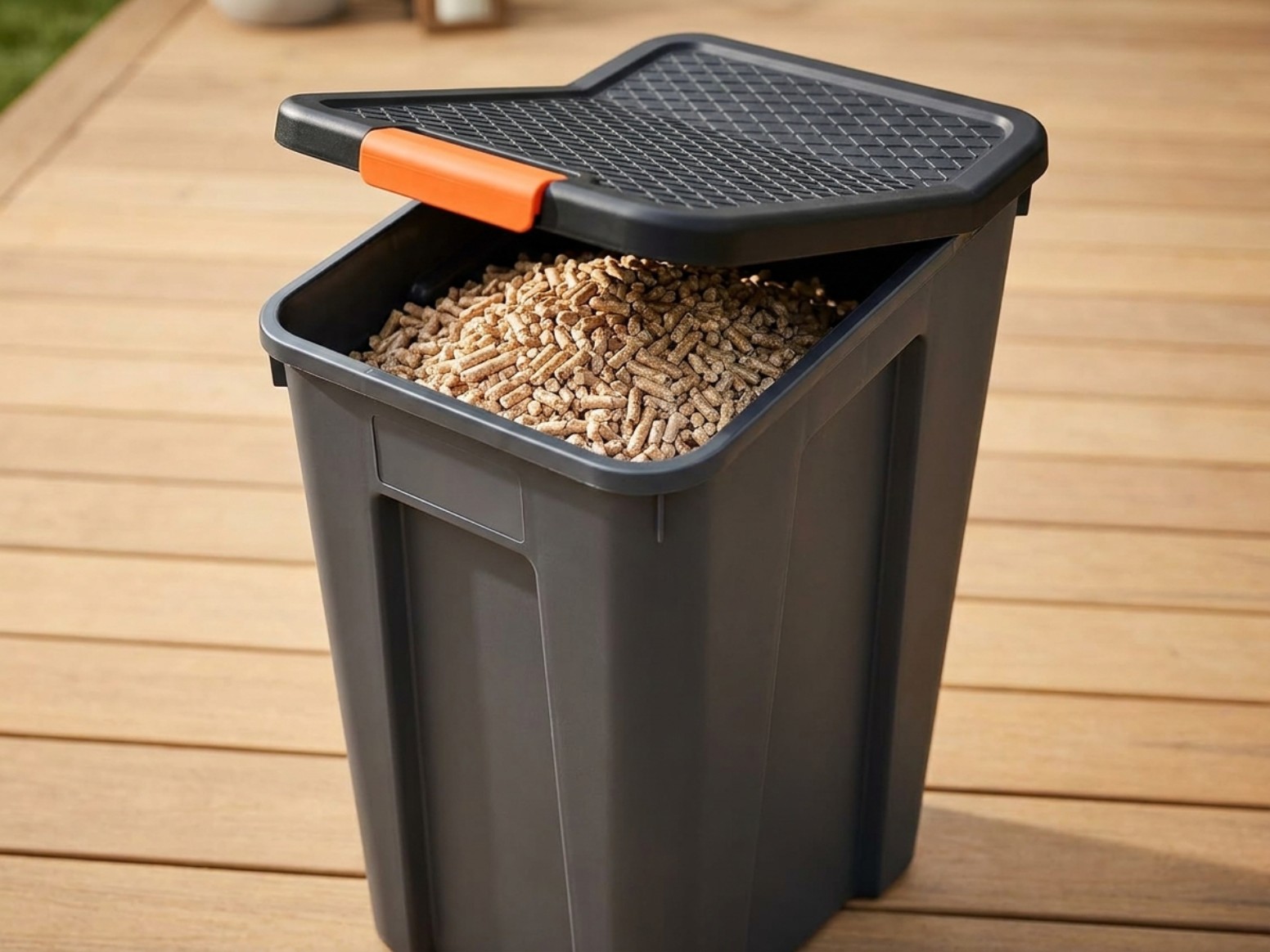
The prevention here doesn't require a controller-specific answer. Keep pellets somewhere genuinely sealed rather than in the hopper or an open bag between cooks. Traeger's own Stay Dry Pellet Storage Bin is built for exactly this, with a locking, airtight lid that keeps humidity out the way an open bag or a loosely-covered hopper can't. It's a real fix for the #1 cause, not a fix for everything.
It won't stop a stray wood chip from ending up in the hopper, which is why the storage habit matters alongside it, not instead of it.

If you've already been through a jam once, the Stay Dry bin is the cheapest way we'd point you toward to make sure you're not doing this teardown again next season.
Frequently Asked Questions
How do I know if my Traeger has WiFi or not?
Can I just keep restarting the grill until the auger frees itself?
Is it normal for the auger to pause while it's running?
What Works
- Locking, airtight lid built specifically to keep pellets dry, aimed directly at the #1 cause of auger jams named in Traeger's own support documentation
Watch Out For
- Solves the moisture cause only. Traeger's own docs also name foreign objects like charcoal or wood chips as a jam trigger, and a sealed bin won't stop that